

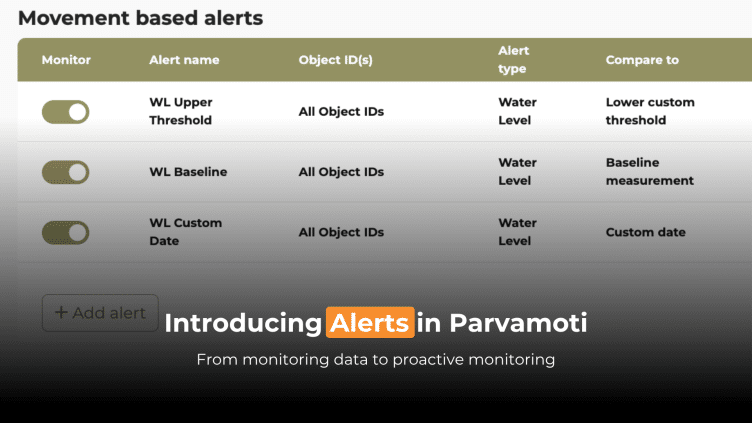
From monitoring data to proactive monitoring
Monitoring shouldn’t mean continuously checking a dashboard to see whether something has changed.
With Alerts in Parvamoti, relevant movement changes can be brought directly to the attention of the people who need to know. When monitored movement reaches a defined threshold or meets specific conditions, Parvamoti can automatically send a notification by email, SMS or both.
This helps teams spend less time manually checking monitoring dashboards, stay informed about changing conditions and focus their attention where it matters most.
It is part of how we are moving Parvamoti towards a more proactive monitoring platform: not only providing reliable measurement data, but helping turn that data into timely information and action.
And now, with Alerts V2, this functionality has been expanded.
Users have greater control over which devices an alert applies to, how movement is evaluated, which thresholds are used and who should receive notifications. Alerts are also easier to configure, making them more adaptable to different projects and monitoring situations.
More precise alert targeting
Previously, movement-based alerts could only be configured across an entire project.
With Alerts V2, users can now apply alerts to:
- All devices within a project
- Selected devices
This makes it possible to use different thresholds or monitoring sensitivity across different areas of the same project.

More meaningful movement comparisons
Movement does not always happen suddenly. Relevant changes can also develop gradually over time.
Alerts V2 introduces new Compare-To options that give users more flexibility in how movement is evaluated.
Period Compare movement over a selected period rather than only against the previous measurement. This can help identify gradual changes that develop over time.
Custom Date Compare current movement against a specific historical measurement date. This can be useful when monitoring change from a known event, intervention or project milestone.
Stabilization Detection Identify when movement remains within a configured threshold over a selected period. This can be particularly useful for settlement monitoring, where stabilization may help indicate when the next project step can be considered.

Clearer threshold guidance
Threshold settings now include permitted value limits and input guidance.
This helps users avoid setting thresholds below meaningful measurement levels and supports more reliable and consistent alert configurations.
A simpler alert setup
Selecting devices, setting thresholds, choosing comparison methods and configuring recipients can now be managed through a clearer and more consistent setup process.
Users can also duplicate existing asset-based alerts within the same project, retaining device selections, recipients, notification methods and alert settings. This saves time when creating similar alerts and helps keep configurations consistent.
The right information, to the right people
Users can choose who should receive an alert and whether they are notified by email, SMS or both.
Together, these capabilities help reduce the time spent manually monitoring dashboards while keeping teams informed when relevant movement occurs.
Moving towards proactive monitoring
Alerts are another step in the development of Parvamoti as a more proactive monitoring platform.
Reliable measurement data remains at the foundation, but monitoring doesn’t stop at collecting and visualising data. By bringing relevant changes directly to users, Parvamoti can help teams recognise what matters sooner and focus on the decisions and actions that follow.
Already using Parvamoti? Log in and explore the latest Alerts functionality.
For more information, visit the Parvamoti Knowledge Base or contact the Basetime Support team via support@basetime.nl.


